On this page
Best AI Writing Tools for PMs: The Complete Stack (2026)
Most PMs use AI to write faster. The result? Everyone sounds the same. The AI writing stack that makes you faster AND keeps you sounding like you.
Noah
Mar 20, 2026 · 20 min read
Product managers write more than almost anyone in a company. Words, not code. Slack messages to engineering at 8am. PRDs in Notion before standup. Stakeholder updates that somehow need to sound both urgent and calm. Retro notes. Emails to customers. Linear tickets with just enough context that your engineer doesn't Slack you back asking "what does this mean?" And that's before lunch. When the best AI writing tools showed up, PMs adopted them fast. You found one tool, maybe ChatGPT, maybe something else, and you started using it for everything. Now most PM Slack channels read like the same person wrote them. Your PRD sounds like your email sounds like your retro notes. Flat and corporate.
The problem is reaching for one tool and never configuring it for the job. You wouldn't use the same Figma template for a pitch deck and a wireframe. You shouldn't use the same AI setup for a customer email and a technical spec.
This post is the stack. A breakdown of different tools for different writing jobs, and how to set each one up so your voice stays intact.
You Write More Than You Think
Count yesterday. How many words did you write?
A few Slack threads, maybe 500 words before your first meeting. A PRD draft or update in Notion, easily 1,000. A stakeholder email summarizing the sprint, 300. A handful of Linear tickets with acceptance criteria, another 400. A quick doc for the design review, 600. A reply to a customer escalation, 200.
That's 3,000+ words on a normal day. Some PMs hit 5,000. You're producing a short essay's worth of output, scattered across half a dozen apps.
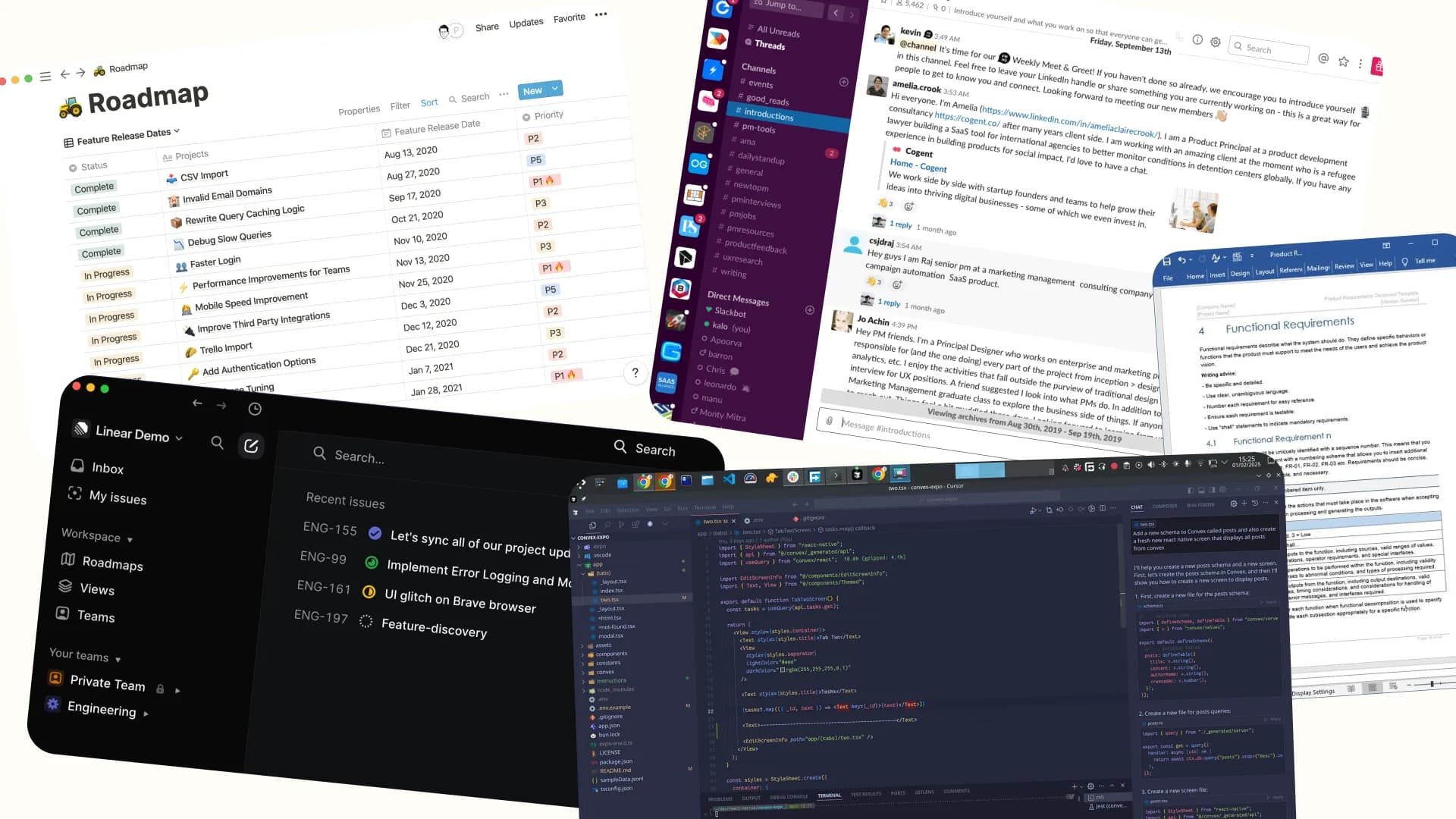
And yet most PMs treat all of that writing the same way: highlight text, paste into ChatGPT, copy the result back. Or worse, they start prompting from scratch each time with zero context about their voice, their audience, or the format.
That's using a hammer for a screw. You'll get something done, but the results look rough.
Your PRD needs structured thinking and precise language. Your Slack message needs to sound like you, casual and fast. Your stakeholder email needs polish without sounding like a consultant wrote it. These are different writing jobs. They need different tools and different setups.
You need a stack. Purpose-fit tools that each handle one part of your writing well.
The Best AI Writing Tools for PRDs, Specs & Strategy Docs
PRDs, product specs, strategy docs. The writing that shapes what gets built. Most PMs default to ChatGPT here, paste in a vague prompt, and get back something that reads like a Wikipedia article about their product.
You can do better.
Why Claude wins for long-form PM writing
Fireside PM ran a head-to-head comparison testing Claude, ChatGPT, Gemini, and Grok for PRD writing. Claude won for "strategic depth." ChatGPT's output was described as "professional but generic, could have been written for any product." That tracks with what most PMs experience. ChatGPT gives you clean, structured output that sounds like a consultant who spent 30 minutes reading your landing page. Claude reasons about trade-offs.
But Claude out of the box still doesn't know your product. It doesn't know your users, your technical constraints, or why you made the decisions you made. That's where Projects comes in.
The Claude Projects setup that changes everything
Claude Projects lets you upload up to 200K tokens of context, roughly 150,000 words of company knowledge that Claude references in each conversation. No other setup will improve your AI-assisted writing this much.
Upload these:
- Your product docs. Product briefs, past PRDs, architecture overviews. Anything that captures what your product is and why it exists.
- User personas and research. Interview transcripts, persona docs, JTBD frameworks. Give Claude a real picture of who you're building for.
- Company context. Your mission doc, competitive positioning, strategic pillars. The stuff that makes your decisions yours.
- 3-5 writing samples. This is critical. Upload PRDs or specs you've written that sound like you. Claude picks up on structure, tone, and the level of detail you care about.
- Style instructions. A short note on how you write. "I use bullet points for requirements, not paragraphs." "I include a 'Not Doing' section." "I write acceptance criteria as testable statements."
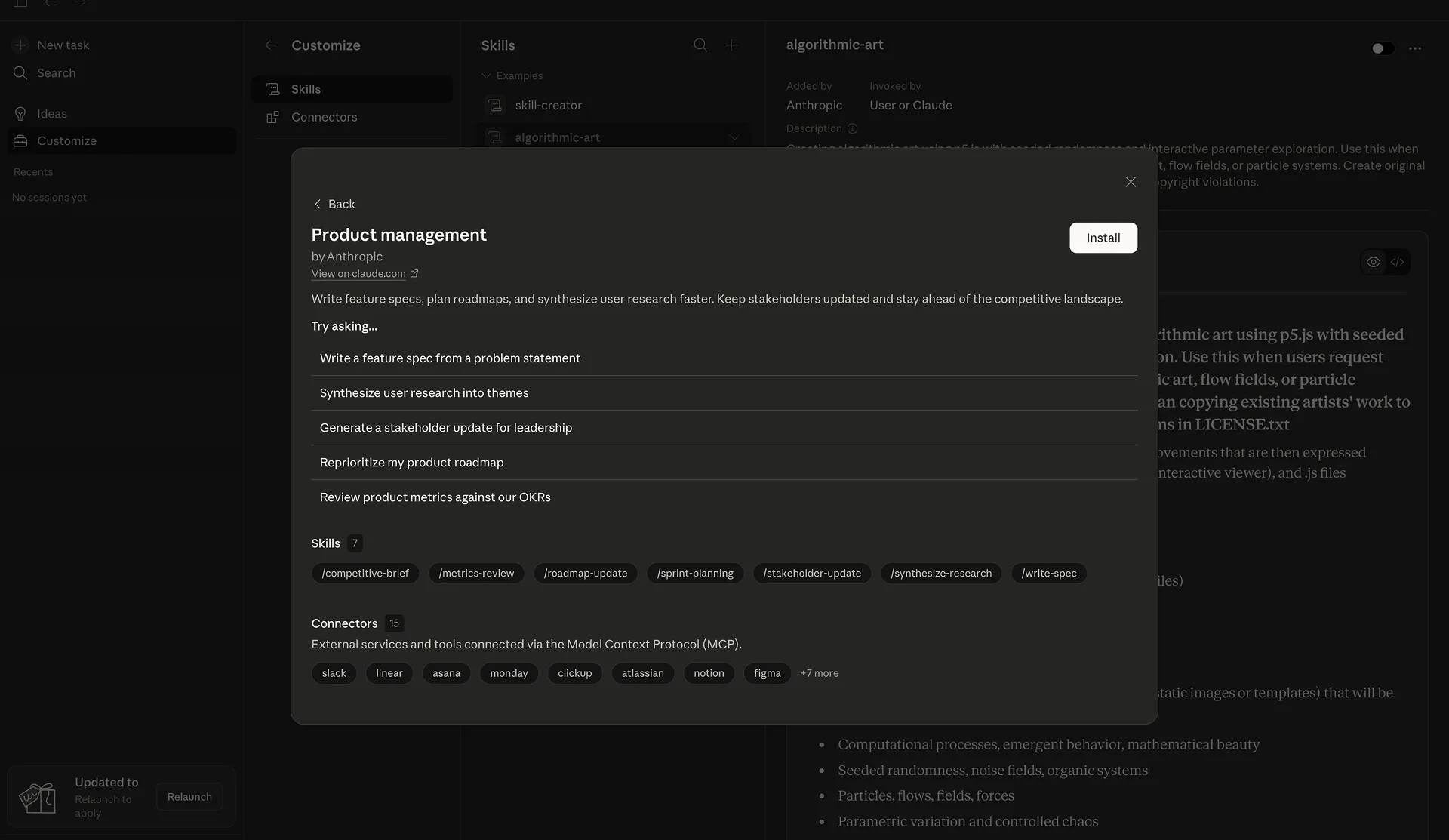
Once this is set up, each conversation in that Project starts with deep context about your company and your product. A generic Claude conversation produces bland filler when you ask for a PRD. A Claude Project conversation references your user segments, your technical constraints, and your strategic bets.
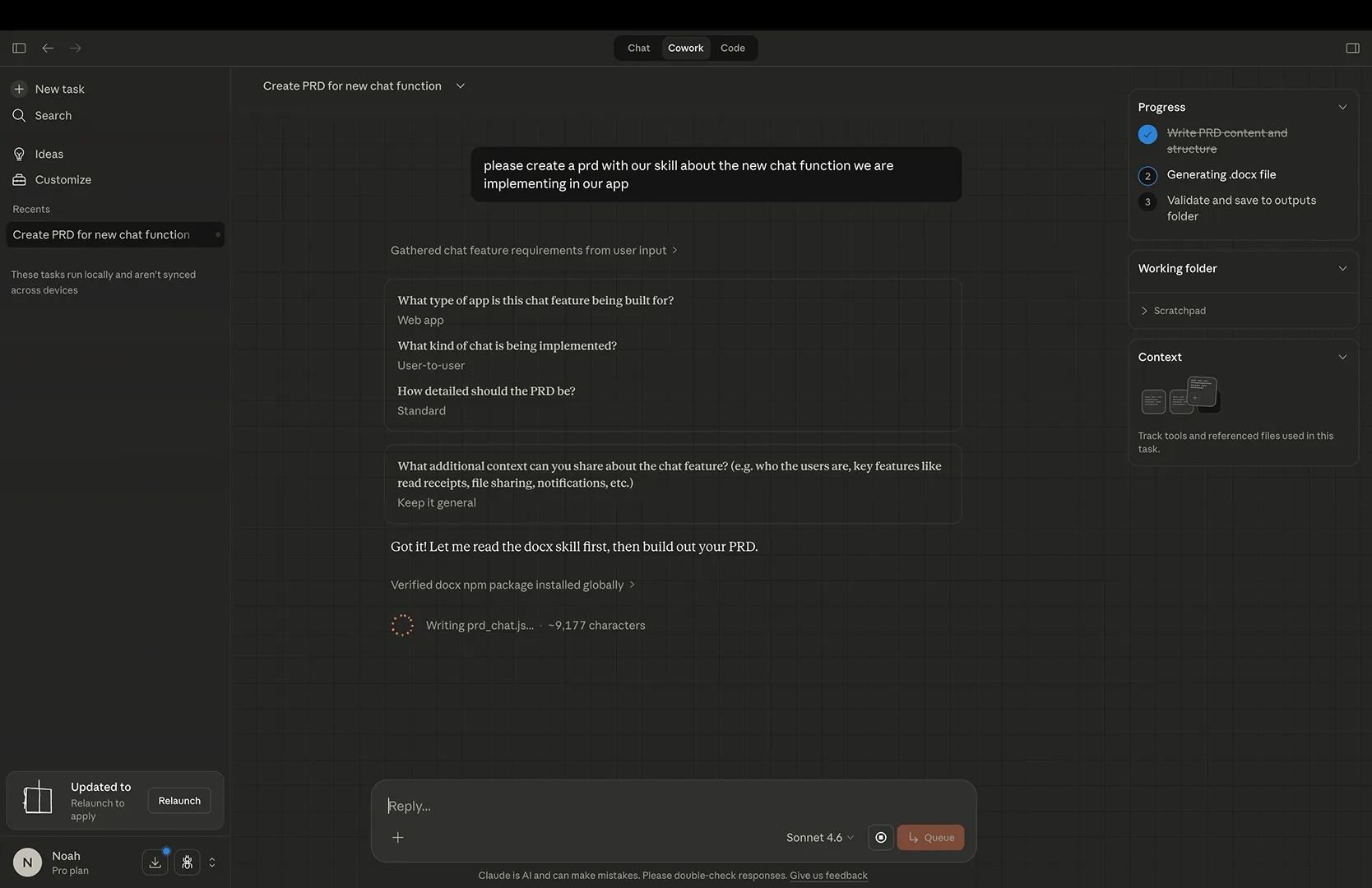
If your PRD could describe any product at any company, it's not a PRD. The value of a good requirements doc is company-specific context: your users, your constraints, your trade-offs. Generic AI output misses all of that.
Tools and resources worth your time
The open-source PM community has built useful stuff on top of Claude and other LLMs. The ones worth setting up:
deanpeters/Product-Manager-Skills. 46+ Claude Code skills purpose-built for PM work. Drop them into your .claude/skills/ directory and your Claude Code sessions become PM-aware. Covers JTBD analysis, PRD development, proto-personas, and sprint retros. If you're using Claude Code, install this first.
KhazP/vibe-coding-prompt-template. The most popular open-source template for going from idea to PRD to working code using LLMs. Structured templates for generating PRDs, technical designs, and MVPs. Useful if you prototype or work with engineers using AI-assisted coding.
ChatPRD. A dedicated AI tool built for PMs. Generates PRDs from meeting notes, reviews your docs like a CPO would, identifying strategic gaps, questioning assumptions, flagging gaps. Used by 100K+ PMs. Also available as a ChatGPT GPT if you want to stay in that ecosystem. The review feature saves time: AI pokes holes in your spec before your engineering lead does.
aakashg/pm-claude-skills. Five production-ready Claude Code skills covering writing PMs do beyond specs: LinkedIn Post Writer, Idea Validator, Prompt Engineer, Product Designer (UX review), and Status Update Writer. Tight and focused.
Addy Osmani's spec writing guide. A practical guide on writing specs that AI agents can execute against. As you start using AI agents to build from your specs, spec quality determines output quality. Garbage spec, garbage code. Osmani's guide teaches you to write specs precise enough for both humans and AI to act on.
fimoklei/pm-ai-playbook. A tested playbook built from daily use of Claude Code in real PM work. Skills, workflows, hooks, and rules, all battle-tested patterns from production use. If you want to see how a PM integrates Claude Code into their day-to-day, start here.
The setup that works
The play: set up a Claude Project with your company context and writing samples. Use it for your PRDs, specs, and strategy docs. Layer in skills from deanpeters or fimoklei if you're using Claude Code. Run your drafts through ChatPRD's review feature before sharing them.
That setup takes an afternoon. But you do it once, and your PRDs get better from that point forward while still sounding like you wrote them.
How to Humanize AI Writing (And Stop Sounding Like ChatGPT)
You recognize AI writing when you scan it. A Slack message feels off, too smooth and too formal for 9am on a Tuesday. A stakeholder update reads like a press release from a committee who've never met the stakeholders. A customer email uses the word "ensure" four times in three paragraphs.
AI writing tools optimize for "correct." Correct means grammatically flawless, structurally sound, and devoid of personality. Good writing sounds like a human being wrote it, someone with opinions, habits, and a specific way of putting sentences together.
The tell-words are visible now. "Delve," "foster," "leverage," "robust," "tapestry," "paramount," "it's important to note," "in today's ever-evolving." Each one signals a machine wrote this and nobody bothered to fix it. Your coworkers notice. Your customers notice faster.
AI slop makes smart PMs sound interchangeable.
The two-pass method (and why it's not enough)
Most guides on humanizing AI writing recommend the same thing: let AI write the first draft, then rewrite it in your voice. Generate, then edit. Two passes.
The two-pass method is a band-aid. You're paying for speed (the whole point of using AI) and then spending the time on rewrites anyway. If you rewrite everything AI gives you to make it sound like you, you're not saving time. You're adding a step.
But say you still want to clean up AI output. A few open-source tools attack the problem at the prompt level.
Anti-slop tools: fixing AI output at the source
These tools modify your system prompts or post-process AI output to strip out machine fingerprints:
adenaufal/anti-slop-writing. A universal system prompt that eliminates known LLM style tells. Works with Claude Code, Gemini CLI, Cursor, and any web-based AI tool. Paste it into your Claude Project instructions or your CLAUDE.md file, and your AI output drops the corporate-speak. It's a vocabulary ban list that catches the obvious offenders and hundreds of subtler patterns you wouldn't think to flag yourself.
arnaldo-delisio/stop-slop. A Claude Code skill you invoke on-demand to clean up any AI-assisted draft. Instead of baking anti-slop rules into each prompt, you run this after the fact on text that already exists. Useful when you're editing a doc that's been through AI and you want to strip out the machine fingerprints.
impactcrew/dont-be-a-sloperator. Ten principle-based rules that stop AI from writing like AI. Different from the vocabulary-ban approach. Instead of blocking specific words, it teaches the AI principles about good writing: vary sentence length, avoid hedging, cut filler. Because it's principle-based rather than list-based, it works across different writing contexts. A Slack message and a strategy doc need different vocabularies, but the same principles apply.
These tools clean up your raw AI output. But they solve the wrong problem.
The real problem: AI doesn't know how you write
Anti-slop tools fix what AI shouldn't say. They don't teach AI what you would say if you'd had the time to write it yourself.
You write differently in Slack than in email. You use shorthand with your engineering team that you'd never put in a board update. You have a rhythm, maybe short declarative sentences when you're giving direction, longer ones when you're explaining context. You have words you reach for and words you avoid. That's your voice. A system prompt can't teach a generic AI tool what your voice sounds like.
We're biased. We built Ditto. But this is the problem that made us build it.
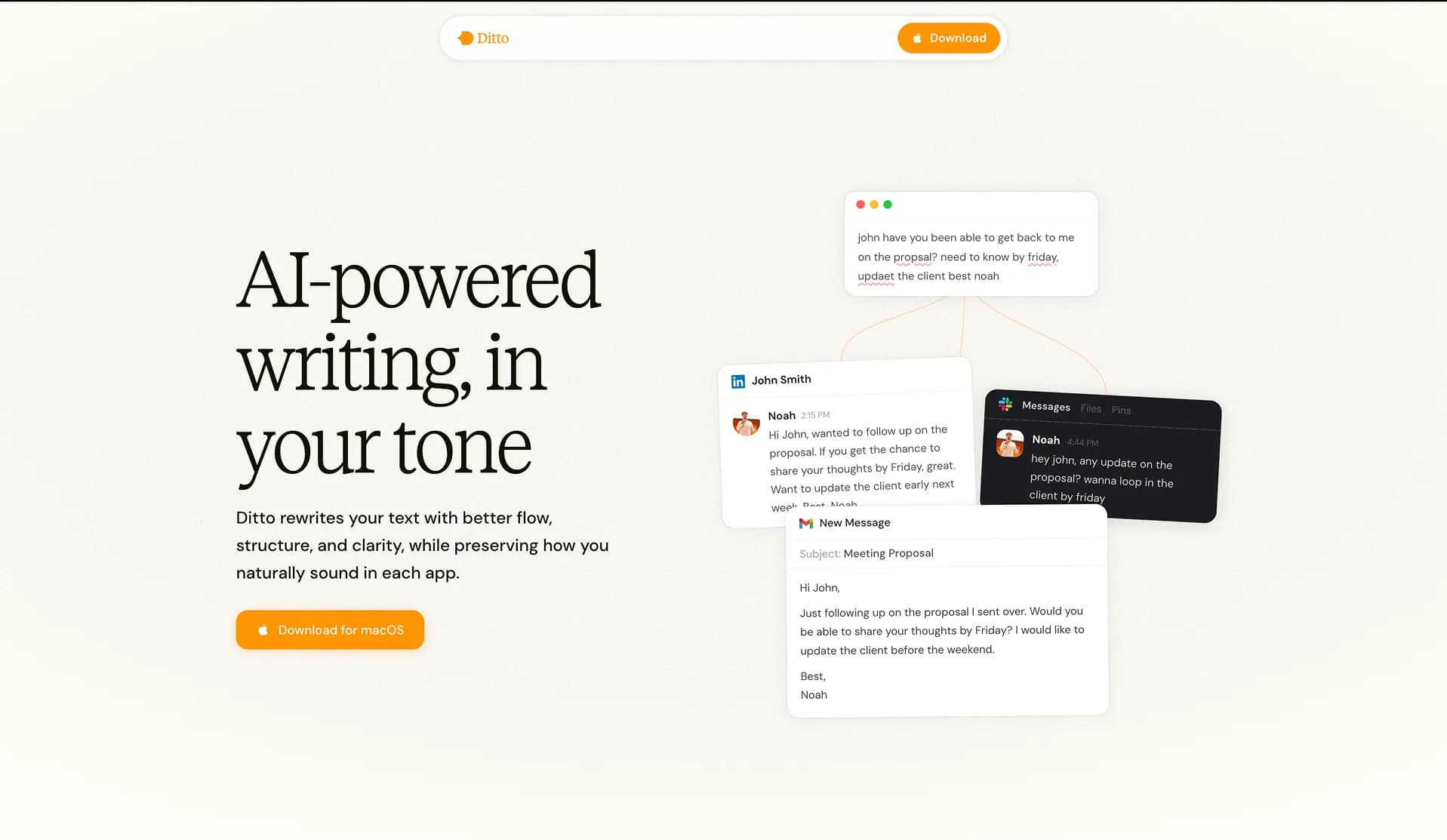
Ditto is voice-aware. It learns your writing patterns: your sentence rhythm and vocabulary, your shorthand in Slack vs. your formality in client emails. When it rewrites something, it rewrites with your patterns in mind.
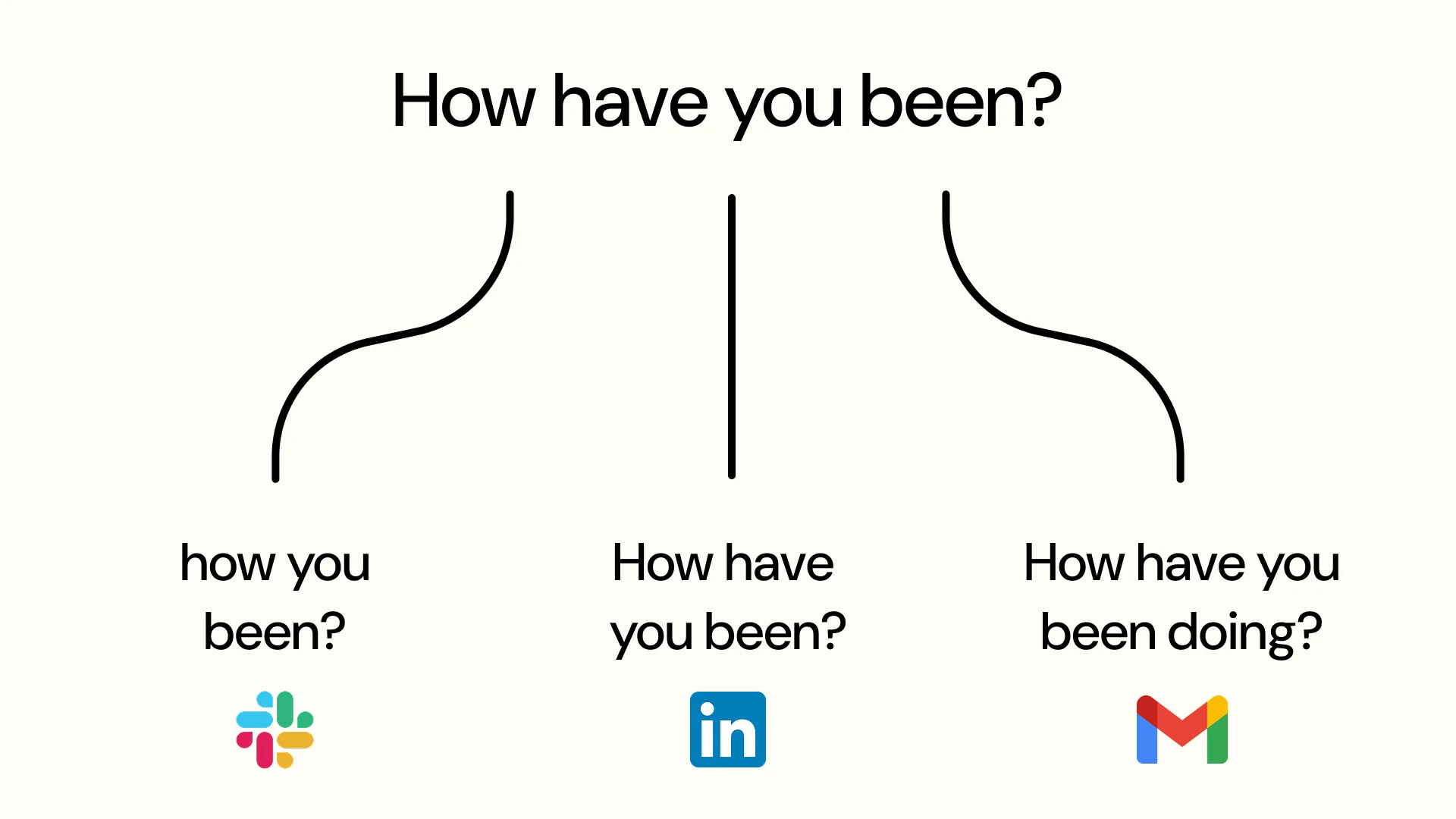
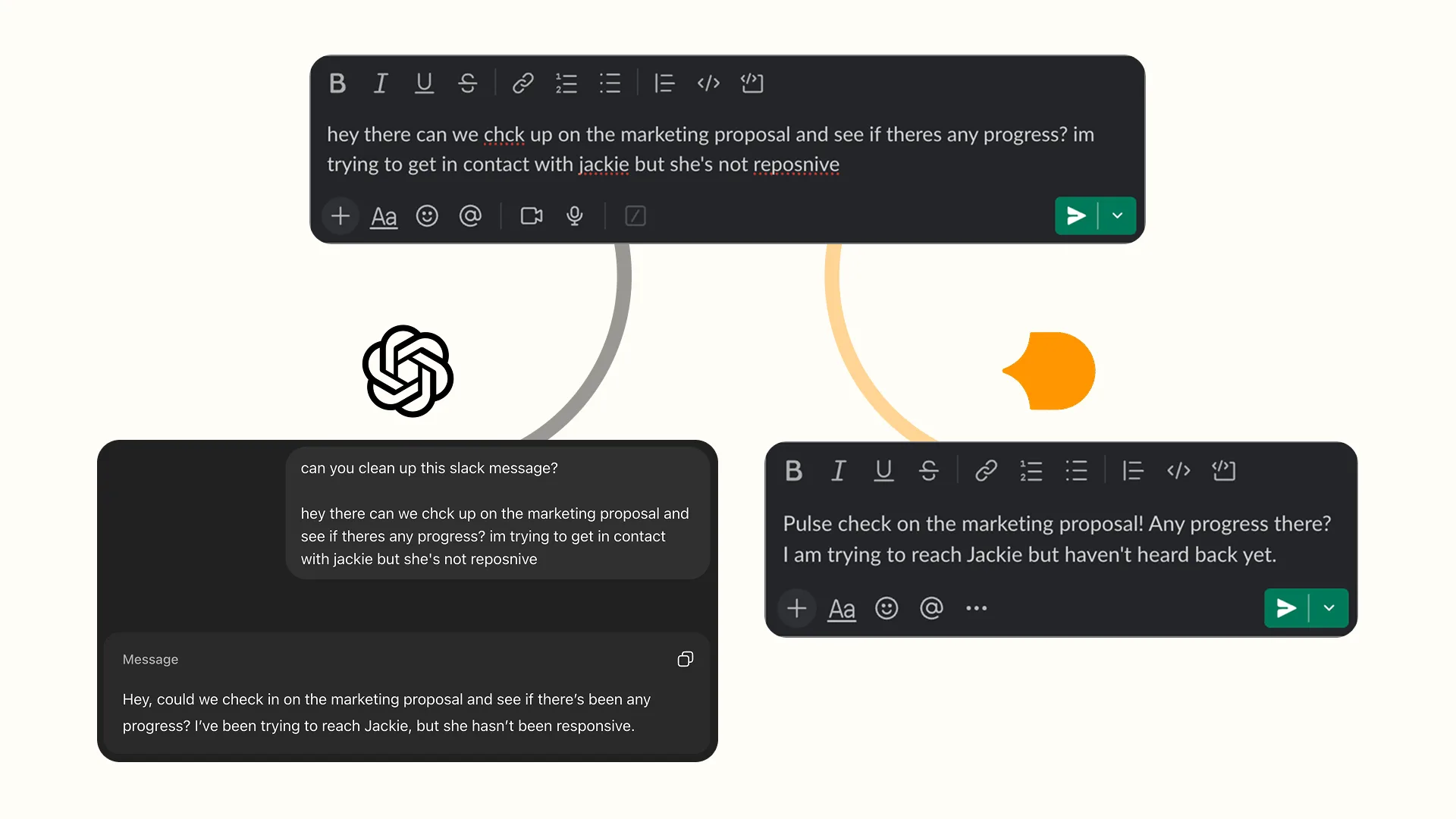
In practice: you dash off a quick Slack message to your engineering lead: "hey can u look at the auth bug its blocking the release." A generic AI rewrite gives you: "Hi, could you please take a look at the authentication bug? It's currently blocking our release timeline." Sounds like someone else wrote it. Ditto knows you write casual in Slack, use lowercase, skip punctuation, keep it short. So it gives you: "hey can you check the auth bug? it's blocking the release." Cleaned up just enough, still you.
Or take a customer email. You've drafted something fast between meetings: "We looked into the issue and it was on our end. Fix is going out today, should be resolved by EOD." A generic AI tool rewrites that into three paragraphs of corporate apology language with "we sincerely apologize for any inconvenience" and "please do not hesitate to reach out." Ditto knows your email voice is direct but warm. It gives you: "We found the issue, it was on our side. Pushing a fix now, should be resolved by end of day. Sorry about that, and thanks for flagging it." Polished without being sanitized.
Anti-slop prompts remove the bad patterns. Ditto adds the right ones back, because it knows how you write.
AI Writing Tools for Slack, Email & Stakeholder Updates
You don't need a 200K context window to rewrite a Slack message. A PRD demands deep context and structured reasoning. A quick reply to your engineering lead needs speed.
Ditto handles the system-wide voice-aware rewrites. But it's not the only tool worth having for day-to-day writing. Your daily output is scattered across a dozen surfaces, and some of the best tools for those contexts aren't AI-powered at all.
Your lightweight writing toolkit:
Raycast Snippets. If you're running Raycast on macOS (and you should be), Snippets gives you free text expansion across apps. Create snippets for your most-typed Slack messages, email responses, and meeting follow-ups. Type a short keyword, get a full block of text. No AI, no latency. Most of the messages you send are slight variations of the same five templates. Stop rewriting them from scratch.
TextExpander. Raycast Snippets works for solo use. TextExpander is what you reach for when your whole PM team needs shared templates. It works across Mac, Windows, and the apps you use. Your team can share standardized templates for sprint status updates, stakeholder emails, and ticket responses. New PMs get your team's writing playbook on day one instead of reinventing it from their own Slack drafts.
We compared these and other writing tools in depth in our Grammarly alternatives roundup.
The play here is layering. Ditto handles voice-aware rewrites across your apps. Raycast or TextExpander handles the repetitive stuff you type ten times a week. These don't conflict with each other. Use both, or pick the one that matches how you work.
The Automation Layer: Stop Copy-Pasting Between Tools
If you're still copying context between tools by hand in 2026, you're burning hours on work a robot should do. Someone drops a feature request in Slack. You copy it, open Notion, paste it, tag it, forget to tag it, lose it. Three weeks later in a planning meeting: "Didn't someone mention that?" It's buried in a Slack thread from February.
Good tools aren't enough on their own. They need to connect. The writing stack above handles quality. This part handles plumbing, making sure the right information lands in the right place without you playing human middleware.
The platform worth knowing is n8n. An open-source, self-hostable workflow automation tool with a visual builder. Zapier, but you own it, it's free to self-host, and it connects to what PMs use: Slack, Notion, Linear, Google Sheets, email. The learning curve is about an afternoon.
Here are the n8n workflows that directly solve PM pain points:
Starred Slack messages → Notion with AI auto-tagging. Star a message in Slack and it lands in a Notion database with an AI-generated title and smart tags. No more "I'll save that for later" followed by never finding it. The AI tagging keeps your Notion database organized without you categorizing anything by hand.
Slack emoji reactions → Notion todos. React to any Slack message with a specific emoji and it becomes a Notion to-do item with a link back to the original thread. Zero-friction action item capture. Your team agrees on an emoji (checkmark, eyes, whatever), and each "can we do this?" in Slack becomes a trackable item without anyone opening Notion.
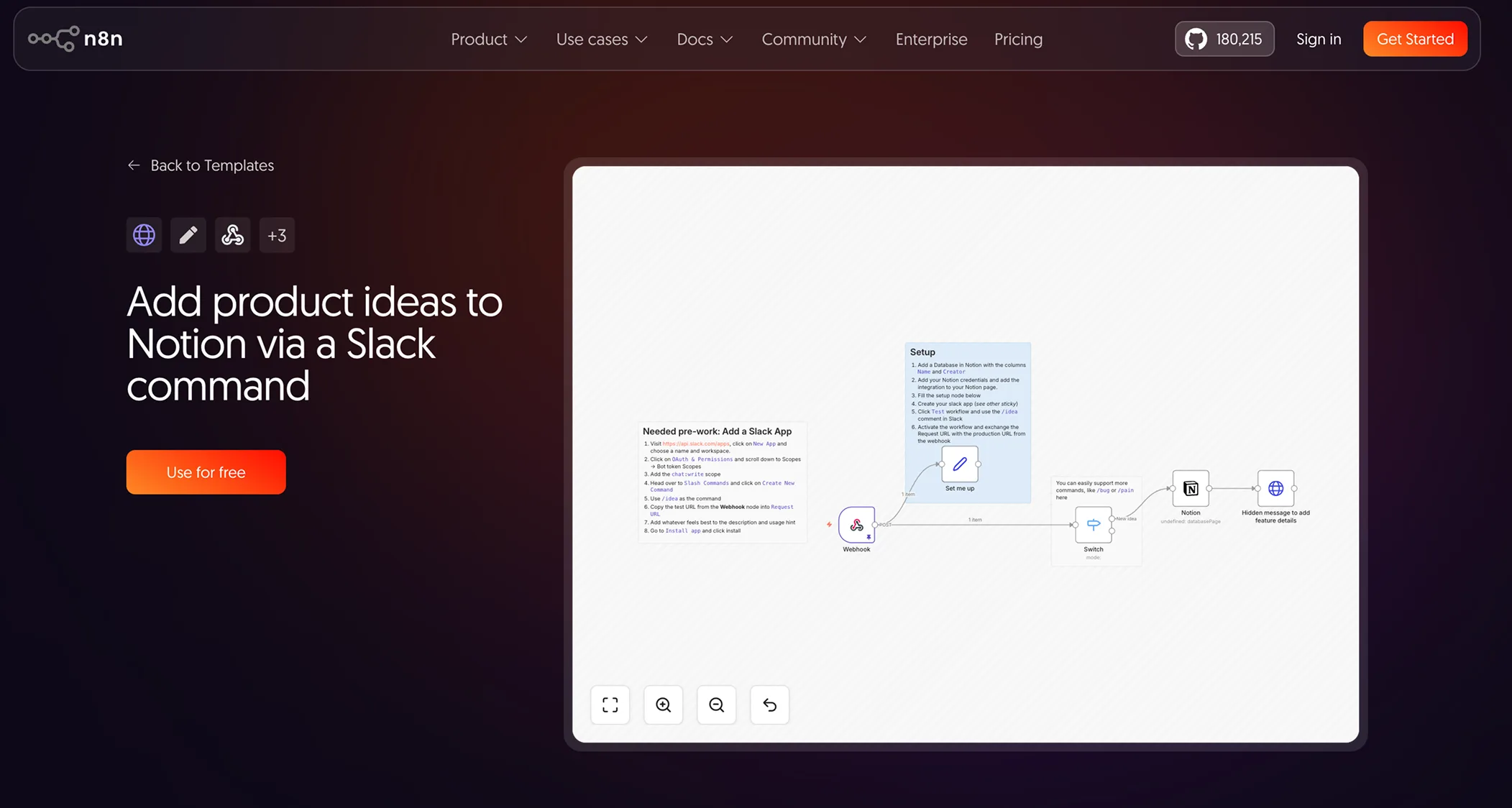
Product ideas via Slack command → Notion. A slash command in Slack that creates a Notion entry. Someone pitches a feature idea in a thread? /idea AI-powered search for the dashboard and it's captured. No context-switching, no "I'll add it to the backlog later" that never happens.
Notion task reminders → Slack. Checks your Notion databases for incomplete tasks, then pings the assigned Slack users with task details and due dates. Replaces the manual standup follow-up where you scroll through Notion checking who's behind. The automation runs each morning without you remembering to check.
awesome-n8n-templates. If none of those fit your setup, this repo has 280+ free n8n templates covering most tool combinations. A good starting point for building custom workflows without starting from a blank canvas.
The other automation gap worth closing: meetings → action items. You sit through six meetings a day. Each one generates commitments that live in your short-term memory until they don't.
Fireflies.ai handles the full pipeline: transcribes your meetings, uses AI to extract action items, and pushes them to Jira, Linear, or Notion. The meeting ends and five minutes later, each commitment from the conversation is a ticket in the system your team checks. No more scribbling in a doc during the call and then spending fifteen minutes turning notes into tasks.
Otter.ai takes a different angle: real-time transcription and collaboration during the meeting itself. You and your team can highlight, comment, and assign action items while the meeting is still happening. Better for live use than post-meeting processing. If your meetings are collaborative working sessions rather than status updates, Otter fits the workflow better.
Stop doing by hand what a machine can do in seconds. Your job is to make decisions, not relay messages between Slack and Notion. Set up the automation once, and context flows where it needs to go without you touching it.
From Spec to Prototype in an Afternoon
The test of good PM writing is whether someone can build from it. A spec that reads well but leaves engineers guessing is a rough draft with nice formatting. Until recently, the gap between a written spec and a working prototype took days or weeks. AI compressed that gap to hours.
You can debate a PRD for three meetings. You can't debate a working demo. When your stakeholder clicks through a flow and says "no, this dropdown should be a toggle," you've skipped two rounds of revision and a miscommunication that would've surfaced in QA.
Here are the tools that make this real:
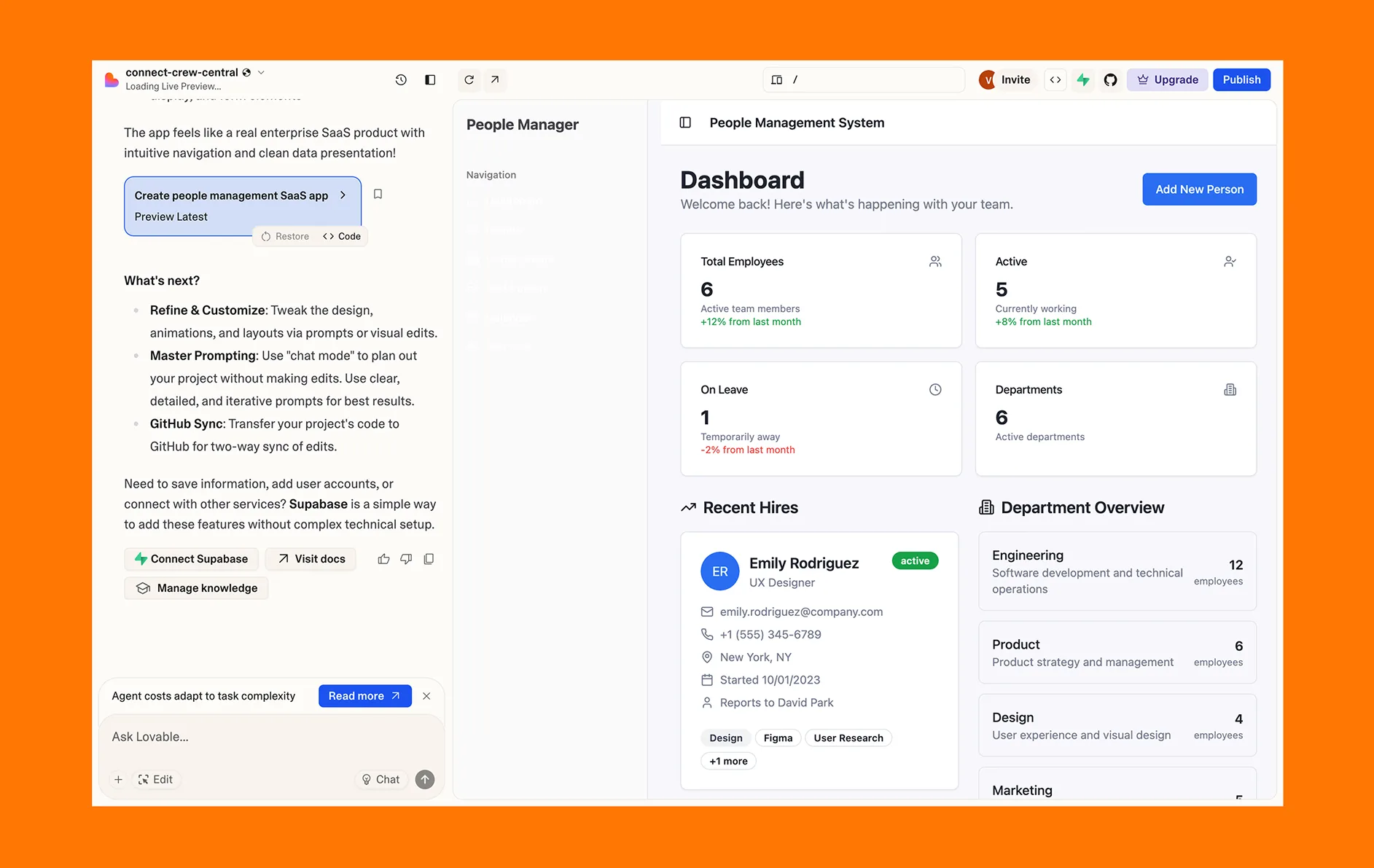
Lovable. An AI app builder that generates production-ready React apps from plain English descriptions. You describe what you want, it writes the code. For rapid prototyping and MVP validation, it turns a PRD into a clickable prototype in minutes. Fair warning: cracks appear at scale, and you won't ship this to production. But for validating ideas and getting stakeholder buy-in before committing engineering resources, nothing is faster. Write a clear spec, paste it into Lovable, and walk into your next meeting with something people can use.
Cursor for PMs. An AI-powered IDE with an official PM use-case page (that alone says something about where this category is heading). Draft PRDs grounded in your codebase context, auto-generate Jira tickets with acceptance criteria, build rapid prototypes from specs. Dennis Yang, Principal PM at Chime, said "Cursor is a much better product manager than I ever was" in Lenny's Newsletter. PMs are using it to close the gap between "what we want" and "what exists."
Kiro. An agentic IDE from AWS that does spec-driven development. It takes your prompts and turns them into full specs (requirements, user stories, acceptance criteria) then generates code, docs, and tests from those specs. A user on the Kiro homepage said it writes user stories "like a product manager." The workflow is backwards from what you're used to: instead of writing a spec and handing it to an engineer, you write a prompt and the tool generates both the spec and the implementation. Worth trying if you want to see what spec-first AI development looks like.
willywg/prp-manager. An agent skill for creating and executing Product Requirements Prompts. Works with Claude Code, Cursor, and Windsurf. This represents something new: writing requirements formatted for AI agents to execute, not humans. Requirements for AI agents need to be more structured, more explicit, less ambiguous than requirements for people. If you're starting to use AI coding agents, this is the emerging practice to watch.
Claude Code for PMs guide. A complete setup guide with real PM workflows for using Claude Code in your day-to-day. Covers installation, configuration, and use cases beyond "write me a PRD." If you've been curious about Claude Code but didn't know where to start as a non-engineer, start here.
The best PRD is one someone can build from. If your spec needs a 30-minute walkthrough to explain what you meant, it's not done yet.
The through-line across all of these tools is the same: your writing quality determines your output quality. A vague spec produces a vague prototype. A precise spec with clear user stories, explicit acceptance criteria, and real constraints produces something you can put in front of a stakeholder and get feedback on. The tools have gotten good enough that the bottleneck is the clarity of what you're asking them to build. That has been the PM's job all along.
The Full Stack: Putting It Together
The cheat sheet below maps each layer of the stack to what it handles and what it costs. No tool does everything well. Match each writing job to the right one.
| Writing Task | Tool | Why | Cost |
|---|---|---|---|
| PRDs & strategy docs | Claude Projects + PM Skills | Deep context, strategic depth | Free / $20/mo Pro |
| Quick rewrites (Slack, email, LinkedIn) | Ditto | Voice-aware, system-wide, one click | Free (early access) |
| Anti-slop checks | anti-slop-writing / stop-slop | Eliminate AI tells | Free (open source) |
| Workflow automation | n8n | Connect Slack, Notion, Linear | Free self-hosted / $20/mo cloud |
| Meeting notes → actions | Fireflies.ai | Auto-extract and route | Free tier / $10+/mo |
| Spec → prototype | Lovable / Cursor / Kiro | Validate faster than documents | Free tiers available |
You don't need all of these on day one. Start with the two that cover the most ground: Claude Projects for heavy writing and Ditto for everything else. Layer in automation and anti-slop tools as you go.
Five Things to Set Up Today
- Create a Claude Project with your company docs and writing samples
- Install deanpeters/Product-Manager-Skills into
.claude/skills/ - Add the anti-slop system prompt to your Claude custom instructions
- Download Ditto and let it learn your voice
- Set up one n8n workflow (Slack → Notion is the easiest win)
Bottom Line
Write better while still sounding like yourself. Each tool in this stack solves a different problem: Claude Projects gives you deep context for specs, anti-slop tools strip out the robot voice, n8n stops you from playing copy-paste middleware, and Ditto keeps your voice intact across the apps you write in. Build the stack. Set it up once. Then go back to your job, making decisions instead of formatting documents.
Write faster. Sound like yourself.
Ditto learns your voice and works system-wide on macOS: Slack, Gmail, Notion, Linear, and everywhere else you write.
Download Ditto for macOSNoah
Founder at Ditto
Building tools that amplify your voice, not replace it.